
4K HDMI Splitter 1 In 2 Out
4.1Editor score
Low cost option
Mirror display mode
Audio synchronization
This guide compares the top ten dual HDMI monitor adapter models for 2026, evaluating performance, compatibility, and features to help you choose the right
Finding the right dual HDMI monitor adapter is essential for expanding your workspace. Whether you work from home or need extra screens for gaming, these devices connect multiple displays to your computer. Look for high resolution support and reliable connectivity to ensure smooth operation.
We evaluated ten leading models based on compatibility, video quality, and ease of use. Our analysis covers USB C, USB A, and DisplayPort options. We also considered build quality, driver requirements, and value to help you make an informed decision for your setup.
Each pick highlights specific strengths like portability or high refresh rates. Note that prices and availability can change frequently. Always check the latest product details before purchasing to ensure the adapter meets your current hardware needs and budget requirements.
4.1Editor score

4.5Editor score

4.2Editor score
The following table compares key specifications and features across all ten selected models to help you quickly identify the best option for your needs.
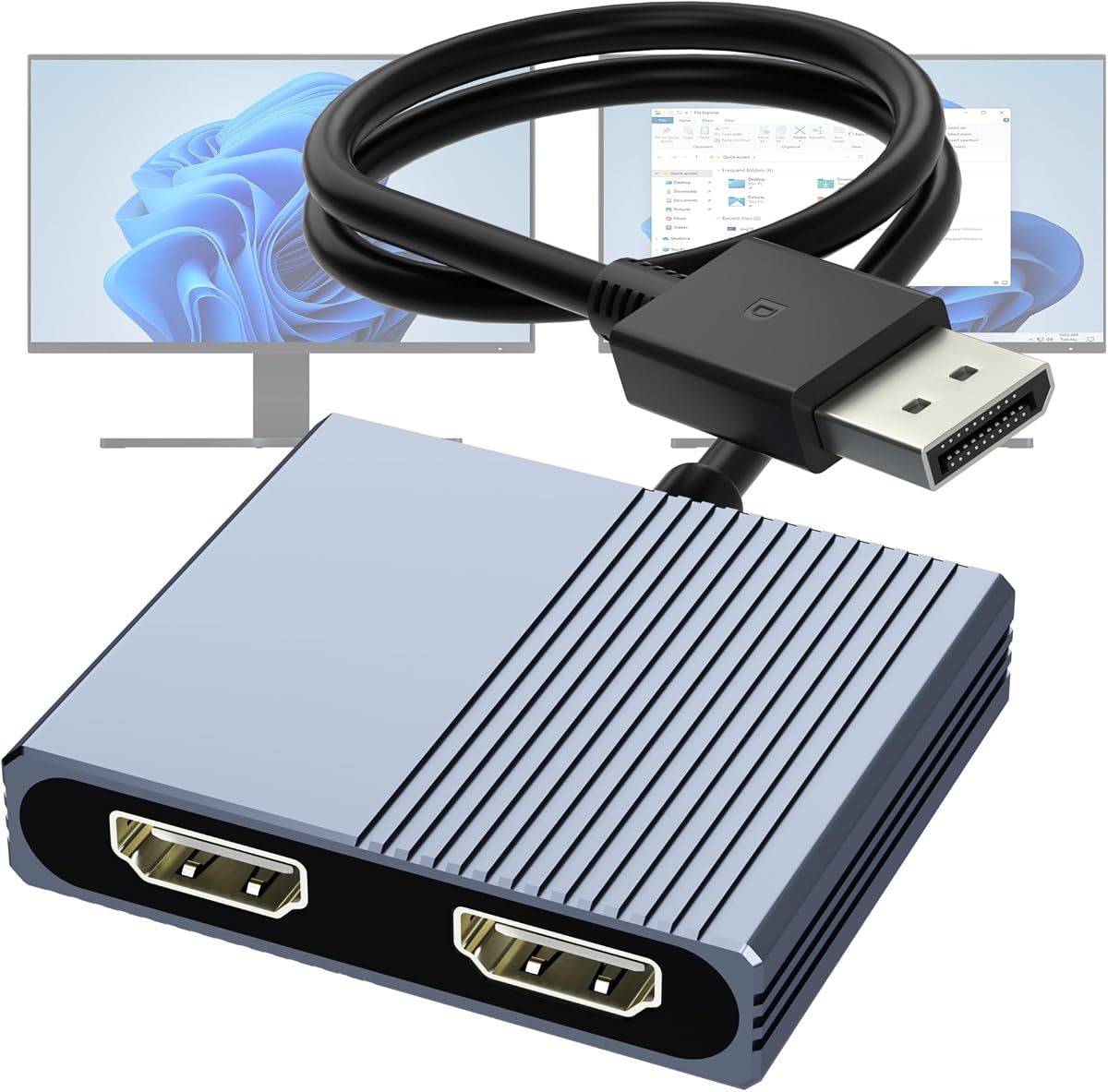


The StarTech adapter offers robust dual monitor support for Windows users. Its 4K 30Hz output ensures sharp visuals. With a three-year warranty, it stands out as a reliable choice for professional workstations.
We may earn a commission when you buy through this link, at no additional cost to you.
This device allows extending your desktop to two HDMI screens efficiently. It supports various Windows platforms including Intel and AMD. The 9.8-inch cable provides flexibility for desk setups. IT professionals appreciate its stability and consistent performance.
While it requires driver installation, this ensures compatibility. The Windows-only limitation may not suit mixed OS environments. However, for dedicated Windows workstations, it delivers dependable results without flickering or drops.
Choose this if you need stable dual displays on Windows. It balances price and performance well. Ideal for office tasks where reliability matters most. Ensure your system meets the requirements before purchasing.
Designed for IT professionals, this adapter ensures consistent uptime.
Supports 4K resolution for crisp and clear visuals.
We may earn a commission when you buy through this link, at no additional cost to you.
The Acer hub delivers high-quality 4K@60Hz visuals on dual screens. It includes a powerful 100W charging port for laptops. This makes it ideal for productivity on the go. The sleek design fits easily into bags.
We may earn a commission when you buy through this link, at no additional cost to you.
Features include a USB A port for data transfer. It supports DP Alt Mode for seamless connection. However, macOS users can only mirror displays not extend. This is a key consideration for Mac laptop owners.
The cable is short at 20cm which may limit flexibility. Ensure your laptop supports Power Delivery for charging. Despite this, the performance for Windows users is excellent. Great for multitasking with smooth visuals.
Buy this for high-performance Windows setups. It handles demanding apps well. The charging capability keeps devices powered during use. Check compatibility with your specific laptop model before buying.
60Hz output ensures smooth scrolling and video playback.
Keeps your laptop charged while using multiple peripherals.
We may earn a commission when you buy through this link, at no additional cost to you.
This adapter connects DisplayPort sources to dual HDMI screens. It achieves stunning 4K@60Hz on both displays. Perfect for users with dedicated graphics cards. No drivers are needed for basic operation.
We may earn a commission when you buy through this link, at no additional cost to you.
It supports MST for extending desktops on Windows. macOS can only mirror content with this device. The external power cable ensures stable performance under load. Check your DP version before purchasing.
Integrated graphics may not support extended modes reliably. Use a dedicated GPU for best results. The build quality ensures durable connection. Good for gaming or media centers on desktop PCs.
Choose this for high-end desktop setups. It maximizes GPU capabilities effectively. Ensure monitors support 60Hz for best experience. Verify your graphics card model compatibility first.
Allows extending desktop to two different windows.
External power ensures consistent video output.
We may earn a commission when you buy through this link, at no additional cost to you.
WAVLINK offers a versatile solution for both Mac and Windows. It supports up to 1080p 60Hz on dual screens. This is useful for mixed office environments. It works well with productivity apps.
We may earn a commission when you buy through this link, at no additional cost to you.
Requires driver installation which might be a hurdle for some. However, the setup is straightforward once installed. It connects via USB A or C. Good for users without high 4K requirements.
Not ideal for gaming or video editing. It lacks HDCP support for streaming content. This fits basic office work needs well. Check system requirements before installation.
Buy this for general office tasks. It handles spreadsheets and documents efficiently. Ensure you have admin rights for drivers. Great for expanding screens on a budget.
Compatible with both major operating systems.
Optimized for web and document work.
We may earn a commission when you buy through this link, at no additional cost to you.
OREI allows connecting one source to two monitors. It supports 4K@30Hz which is great for clarity. Requires an i5 processor or higher. Works on Windows, macOS, and Android.
We may earn a commission when you buy through this link, at no additional cost to you.
Driver installation is mandatory for functionality. This may require IT admin approval on work laptops. The 2-in-1 connection is flexible. It boosts productivity with a third screen setup.
Linux and iOS are not supported. Ensure your device meets the CPU requirement. The package includes essential accessories. Good for home offices needing sharp visuals.
Choose this for 4K clarity on dual screens. It offers a cost effective extension. Verify your processor model before buying. Ideal for reading and design work.
4K output ensures text and images are sharp.
Requires specific hardware for smooth operation.
We may earn a commission when you buy through this link, at no additional cost to you.
This docking station transforms your laptop into a full desk. It has two HDMI ports for 4K@60Hz. Plus USB and card slots for peripherals. Requires Thunderbolt or full-featured USB C port.
We may earn a commission when you buy through this link, at no additional cost to you.
Mac users get mirror mode only not extended. The 100W PD keeps laptops charged. It is perfect for home offices. Ensure your port supports video output.
Charger is not included so buy separately. This adds to the total cost. But the value of extra ports is high. Ideal for photographers needing card readers.
Buy this for a complete desk setup. It connects everything with one cable. Verify port specs to ensure video works. Great for versatile workstations.
Includes SD, USB, and HDMI options.
100W PD ensures uninterrupted power supply.
We may earn a commission when you buy through this link, at no additional cost to you.
This is the most affordable option for two screens. It mirrors one HDMI source to two displays. Perfect for presentations or watching videos with others. No drivers needed just plug in.
We may earn a commission when you buy through this link, at no additional cost to you.
Supports 4K resolution with 30Hz. Audio is synchronized with video automatically. It is not for extending desktops. Only for showing the same image twice.
Build quality is decent for the price. Cables are not included. Ensure your source device supports HDMI output. A simple solution for basic display duplication.
Choose this for budget presentations. It works well for simple viewing. Not for complex multitasking. Verify your source port before purchasing.
Low cost option for basic duplication needs.
No software installation required.
We may earn a commission when you buy through this link, at no additional cost to you.
Selore&S-Global offers high speed connectivity. It supports 4K@60Hz on dual screens. USB A port transfers data at 5Gbps. PD charging keeps laptops powered during long sessions.
We may earn a commission when you buy through this link, at no additional cost to you.
Mac users are limited to mirror mode. Windows supports full extended displays. The design is sleek and portable. Needs a full-featured USB-C port.
Does not include a power adapter. Ensure you have a 100W one ready. The USB-A port is useful for peripherals. Great for mobile professionals.
Buy this for mobile productivity. It handles work well on the go. Check Mac compatibility expectations carefully. A solid hub for modern laptops.
USB 3.0 speeds for large file moves.
Smooth 60Hz refresh rate for fluid visuals.
We may earn a commission when you buy through this link, at no additional cost to you.
This adapter features a rugged aluminum housing. It outputs 4K@60Hz to two monitors via MST. Works with NVIDIA and AMD cards. Gold-plated ports ensure durability.
We may earn a commission when you buy through this link, at no additional cost to you.
Mac OS supports mirror mode only. Windows allows full extensions. Requires DP 1.4 on the computer. Ensure you use a quality HDMI 2.0 cable.
Integrated graphics may fail with this adapter. Use dedicated GPUs for best results. The housing helps with heat dissipation. A reliable choice for desktop users.
Choose this for high-end video needs. It maintains signal stability well. Check your GPU and port requirements first. A durable option for daily use.
Aluminum casing enhances durability and cooling.
Allows true extended desktop on Windows.
We may earn a commission when you buy through this link, at no additional cost to you.
UANTIN provides six ports in one small hub. Two HDMI outputs support 4K@60Hz. USB A ports connect peripherals easily. Ideal for those with limited laptop ports.
We may earn a commission when you buy through this link, at no additional cost to you.
Requires DP Alt Mode for video output. Supports MST on Windows for extended displays. Mac is limited to mirroring. The design is compact for travel.
USB ports are 2.0 speed not 3.0. This might be a limit for fast storage. The cable is 30cm which is short. Check your port type before buying.
Buy this for a neat workspace. It connects all essentials efficiently. Ideal for home offices. Ensure your laptop supports DP Alt Mode.
Multiple ports for diverse peripheral needs.
60Hz output for smooth scrolling.
We may earn a commission when you buy through this link, at no additional cost to you.
Choosing the right adapter depends on your device ports and specific needs. Here are key factors to consider.
Identify the ports available on your laptop or desktop. USB-C adapters are common for modern devices while USB-A suits older ones. DisplayPort adapters work for PCs with dedicated graphics cards.
Ensure the adapter matches your system port for video output.
Decide if you need 4K resolution or if 1080p is sufficient. Higher resolutions require better bandwidth and compatible monitors. 60Hz is smoother than 30Hz for moving content.
Check that your monitors support the advertised resolution and refresh rate.
Verify compatibility with Windows or macOS. Windows typically supports extending screens while macOS often limits USB-C to mirroring. Some adapters require specific drivers to function correctly.
Confirm OS support and driver availability before purchasing to avoid issues.
Look for adapters with Power Delivery ports to charge your laptop simultaneously. This reduces cable clutter and keeps devices powered. Ensure the wattage matches your laptop needs.
A charging port adds value by allowing uninterrupted use.
Materials like aluminum alloy offer better durability and heat dissipation. Gold-plated connectors resist corrosion. A sturdy design prevents damage during daily plugging and unplugging.
Quality materials ensure long-term reliability and stable signal.
Consider how many USB ports or card slots you need alongside HDMI. Multi-port hubs save the need for extra dongles. Ensure the adapter does not bottleneck data speeds.
A well-equipped hub simplifies desk organization.
Compare costs against features offered. Higher-priced models often include better support and warranties. Check if the adapter comes with a guarantee for peace of mind.
Investing in a supported product can prevent future issues.
Check the cable length to ensure it fits your setup comfortably. Short cables may limit placement options while longer ones add clutter. Some adapters have detachable cables for flexibility.
Select a length that suits your workspace layout.
Connect the adapter to your computer's USB or DisplayPort port. Plug HDMI cables from your monitors into the adapter. Ensure power cables are connected if the device requires external power.
Adjust display settings on your computer to extend or mirror screens. Install any necessary drivers if prompted by the operating system to enable full functionality.
Store the adapter in a protective case when not in use. Keep ports clean and dry to maintain signal quality and prevent wear over time.
Many USB-C adapters only support screen mirroring on macOS due to system limitations. Extended desktop mode is typically available only on Windows. Check the product details for specific OS capabilities before buying.
Some adapters require driver installation to function properly while others are plug-and-play. If drivers are needed, ensure you have admin rights on your computer. Always verify driver requirements on the product page.
Most adapters support up to 4K resolution but refresh rates vary. Some models cap at 30Hz while others reach 60Hz. Your monitors and computer capabilities also affect the final output.
Extended desktop is supported on Windows for most models. macOS users often face limitations and only get mirroring. Check if the adapter supports MST technology for extended displays.
Most adapters are designed for computers not consoles. HDMI splitters might work for mirroring but not for extended displays. Ensure your source device supports the specific video protocol required.
Flickering may be caused by insufficient power or cable issues. Try using a power adapter if provided. Check that HDMI cables are high quality and properly connected.
USB-C adapters often support Power Delivery and video output directly while USB-A requires older standards. USB-C is more versatile for modern laptops but requires the correct port type.
Use HDMI 2.0 cables for 4K@60Hz output. Lower rated cables might cap performance at 30Hz. Ensure your cables are high-speed certified for the best visual experience.
We reviewed ten top adapters highlighting features and compatibility for 2026. The StarTech, Acer, and OREI models offer strong performance for different needs.
Prioritize compatibility with your laptop ports and operating system. Look for high refresh rates and solid build quality to ensure smooth daily use.
Always check current prices and availability before making your decision. These adapters can significantly improve your workflow when chosen correctly.