
Entina Tina2C
4.4Editor score
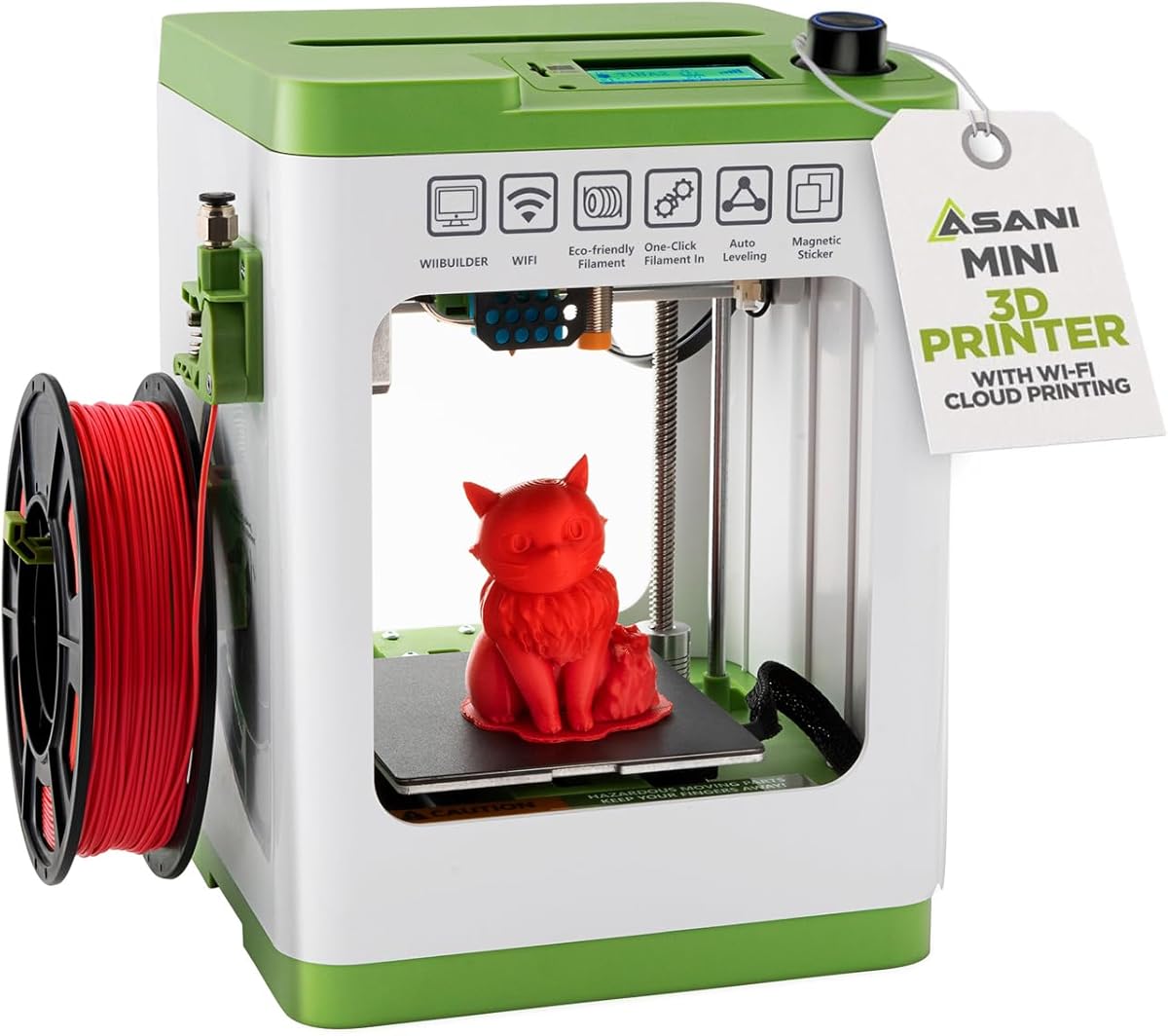
Fully assembled mini printer
Auto leveling included
WiFi and offline mode
This guide compares ten easy to use 3D printers for beginners and experts, highlighting setup, speed, and reliability for seamless creative projects.
Finding the right 3D printer can be overwhelming for newcomers. This guide focuses on easy to use 3D printers that simplify setup and operation. We prioritize models with auto leveling and intuitive interfaces to ensure success from the first print.
Our team analyzed ten top rated models based on user feedback and technical specifications. We evaluated assembly time, calibration ease, and software compatibility. Each product was selected for its ability to reduce frustration and maximize creative output for diverse users.
Every pick includes detailed specs and real world performance insights. Prices vary by retailer and change frequently, so verify current offers before buying. This list helps you choose a reliable machine that fits your budget and skill level perfectly.
4.4Editor score

4.7Editor score

4.5Editor score
This side-by-side comparison highlights key specs for all ten models. We focus on print volume, speed, and ease of use to help you decide quickly.





The Bambu Lab A1 is our top pick for easy to use 3D printers. It combines speed, precision, and automation in a compact design. With a 4.7 rating, it is beloved by beginners and makers alike.
We may earn a commission when you buy through this link, at no additional cost to you.
Its standout feature is full-auto calibration. You skip manual bed leveling. The printer handles Z-offset and flow rate compensation automatically. This ensures flawless prints every time. The 10,000 mm/s² acceleration makes it blazing fast.
The user-friendly touchscreen simplifies control. Active motor noise canceling keeps the environment quiet. You can focus on design rather than troubleshooting. The 1-Clip quick swap nozzle adds versatility without tools.
Choose the A1 if you want reliability and speed. It is ideal for home use and STEM projects. While the AMS lite costs extra, the base unit delivers excellent results. This is the best value for ease of use.
Say goodbye to manual calibration hassles. The A1 handles all processes automatically for optimal performance.
Enjoy a quiet printing environment with active motor noise canceling. Focus on your work while it runs.
We may earn a commission when you buy through this link, at no additional cost to you.
The FLASHFORGE Adventurer 5M is a strong budget option. It offers high speed and auto leveling. With a 3.9 rating, it is good for rapid prototyping. Setup is simple with automatic bed leveling for the first layer.
We may earn a commission when you buy through this link, at no additional cost to you.
Its CoreXY structure enables 600mm/s travel speed. This reduces production cycles significantly. The 3-second nozzle change and 35-second warm-up save time. You get stable high-speed printing without complex setups.
Smart app monitoring allows remote control. Adjust settings or check status from anywhere. The dual-sided PEI platform ensures easy removal. While the print size is smaller, it fits many projects well.
Buy this if speed matters on a budget. It is great for small parts or testing designs. Ensure your filament is compatible. The app integration makes it easy to manage prints remotely.
Featuring CoreXY with 600mm/s speed and 20000 mm/s² acceleration. Maximize efficiency and reduce cycles.
Monitor print progress via the Flash Studio app. Receive status alerts remotely for seamless management.
We may earn a commission when you buy through this link, at no additional cost to you.
The Bambu Lab A1 mini is designed for ease. It includes an LED Lamp Kit for creative projects. With a 4.4 rating, it helps users create from day one. Automatic calibration makes the experience seamless.
We may earn a commission when you buy through this link, at no additional cost to you.
You get access to MakerWorld models and Bambu Handy app. This ecosystem simplifies model management. The printer is quiet and fits any space. It is perfect for everyday creativity like toys or decor.
The compact size is ideal for small desks. You do not need technical skills to run it. The LED kit encourages light projects and personalization. It turns ideas into real life quickly.
Choose this for its simplicity and ecosystem. It is a smart starter. The LED lamp adds unique value. If you need larger prints, look at the A1. For beginners, this is perfect.
Bring ideas to life with the included LED Lamp Kit. Print models and turn them into lights.
Access MakerWorld models and manage prints via Bambu Handy. Makes printing easier and smarter.
We may earn a commission when you buy through this link, at no additional cost to you.
The Bambu Lab P1S offers advanced features. It supports up to 16 colors with AMS. With a 4.5 rating, it is powerful yet easy. The enclosed design helps with filaments like PETG or ABS.
We may earn a commission when you buy through this link, at no additional cost to you.
Setup takes 15 minutes with user-friendly design. Auto bed leveling ensures high quality. The 500mm/s speed lets you focus on creating. It handles a wide range of filaments well.
It is ideal for home or office use. You can print complex parts without warping. The system is reliable for advanced needs. AMS connects for vibrant multi-color results.
Pick this if you need versatility and speed. It is great for makers. While premium, it delivers value. Ensure your space accommodates the size. It is a solid choice.
Fully enclosed body improves performance for advanced filaments. Reduces warping and improves quality.
Connect Bambu Lab AMS for up to 16 colors. Showcases creativity with vibrant prints.
We may earn a commission when you buy through this link, at no additional cost to you.
The AOSEED AI 3D printer is for kids. It features AI Doodle and voice prompts. With a 4.5 rating, it inspires creativity safely. It comes with an enclosed design and TÜV tested PLA.
We may earn a commission when you buy through this link, at no additional cost to you.
You can create models via voice or images. Kids do not need design skills. The camera allows real-time monitoring. It includes a starter kit with filament and tools.
It is a home toy factory for families. Small projects finish in minutes. The app is user-friendly for parents. It encourages STEM learning and fun.
Choose this for kids and education. It is a long-term gift. The AI tools make it unique. Note it only prints single color. It is perfect for beginners.
Kids create models with voice or image prompts. No design skills required for fun.
Enclosed pinch-resistant design ensures safety. TÜV Rheinland tested PLA for kids.
We may earn a commission when you buy through this link, at no additional cost to you.
The Entina Tina2C is designed for beginners. Start in 8 minutes with the Poloprint app. With a 4.4 rating, it is perfect for kids. It includes 3500+ models and STEM courses.
We may earn a commission when you buy through this link, at no additional cost to you.
You get AI-powered search and photo-to-print. It supports WiFi and offline TF card. The self-cleaning nozzle helps consistency. It is compact for small spaces.
Auto leveling reduces manual adjustments. It includes power-loss recovery for success. Quiet operation fits home use. It is ideal for classroom or learning.
Buy this for its ease and AI. It is great for small projects. Ensure your space matches the size. It helps users start quickly.
AI-powered search and photo-to-print features. Turns creativity into education.
Start first print in 8 minutes. Fully assembled for easy setup.
We may earn a commission when you buy through this link, at no additional cost to you.
The FLASHFORGE AD5M combines tech for all. It offers one-click leveling for perfect prints. With a 4.2 rating, it is robust. The CoreXY structure ensures speed and stability.
We may earn a commission when you buy through this link, at no additional cost to you.
You can swap nozzles in 3 seconds. This simplifies maintenance for novices. It has resume after power outage to save work. PEI plate makes removal easy.
The slicer enables batch file transmission. Monitor prints via Flash Maker APP. It is great for rapid prototyping. The design is durable and reliable.
Choose this for speed and ease. It is great for home. While premium, it offers value. Ensure your filament matches. It is a solid tool.
Equipped with one-click leveling for accurate offsets. Flawless first layer every time.
Tool-free nozzle swap in 3 seconds. Simplifies maintenance for all users.
We may earn a commission when you buy through this link, at no additional cost to you.
The TINA2S is a complete starter kit. It includes 10M PLA and a card. With a 4.6 rating, it is ready to go. Fully assembled avoids assembly problems.
We may earn a commission when you buy through this link, at no additional cost to you.
Auto leveling and dual z-axis rail help. The touchscreen simplifies control. It works with MAC, Windows, Linux. Compatible with slicers like Cura.
One-touch loading makes filament easy. Active pause and resume gives control. It is perfect for home or dorms. Note use the magnetic plate provided.
Pick this for immediate use. It is great for beginners. Ensure you use the right plate. It is a reliable tool.
Everything is included for imagination. Just bring the imagination.
Designed for reliable use right out of box. No assembly issues.
We may earn a commission when you buy through this link, at no additional cost to you.
The Creality Ender 3 V3 SE is for beginners. It features CR Touch auto leveling. With a 4.1 rating, it is a great value. Assembly is simple with few steps.
We may earn a commission when you buy through this link, at no additional cost to you.
The Sprite direct drive extruder helps feeding. Dual Z screws reduce vibration. The silent mainboard ensures quiet operation. Flexible build plate makes removal easy.
It is ideal for daily prototypes. Speed reaches 250mm/s efficiently. You get reliable performance with common materials. It is a trusted name.
Buy this for budget and reliability. Ensure your setup matches needs. It is a solid starter. It delivers consistent results.
CR Touch auto leveling and Z-offset. Reliably first layer.
32-bit silent mainboard for comfort. Flexible spring steel for easy removal.
We may earn a commission when you buy through this link, at no additional cost to you.
The Anycubic Kobra X brings native color. It supports 4 colors out of box. With a 4.2 rating, it is expandable. LeviQ 3.0 ensures flatness.
We may earn a commission when you buy through this link, at no additional cost to you.
AI monitoring detects spaghetti issues. The top-mount holder saves space. It has 100,000 models to choose from. Connectivity includes dual-band Wi-Fi.
Speeds reach 600mm/s for Benchy. Hardened steel nozzle helps precision. Multi-material compatibility is versatile. It is great for schools.
Choose this for color and speed. Filament is sold separately. The app provides easy control. It is a strong choice.
Built-in 4 colors. Expand to 19 with ACE. Turn ideas into reality.
Spaghetti detection for better prints. Vast library of 100,000 models.
We may earn a commission when you buy through this link, at no additional cost to you.
Selecting a 3D printer requires looking at setup, speed, and features. These factors define ease of use.
Auto leveling is essential for beginners. It ensures the nozzle is correct distance from bed. Manual adjustments waste time. Look for CR Touch or full-auto systems. This feature guarantees smooth starts.
Choose printers with auto leveling for success.
Printing speed impacts project time. High-speed printers save hours. Look for acceleration over 10,000 mm/s². Fast printers allow more creativity. This is key for rapid prototyping.
Prioritize speed for efficiency.
Build volume defines print size. Beginners often need small models. Ensure the volume fits your projects. Large volumes cost more. Match size to your needs.
Choose a volume that fits your needs.
An ecosystem includes app and models. It simplifies workflow. Look for open source or cloud models. This helps learning. Ecosystems reduce friction.
Pick one with good support.
Quiet operation helps home use. Fans and motors can be loud. Look for noise canceling or silent boards. This ensures comfort. Quiet printers are better for bedrooms.
Check noise specs before buying.
Safety matters for kids. Enclosed designs prevent burns. Look for certifications. It is vital for safety. This reduces risk.
Prioritize safety if printing for kids.
Compatibility determines materials. Beginners usually use PLA. Advanced users need PETG. Ensure the hotend supports your filament. This affects output.
Verify filament support.
Support helps fix issues. Check forums or docs. Good support saves money. Look for community groups. It is valuable for long term.
Choose brands with support.
Setup requires leveling the bed. Auto leveling simplifies this step. Test with a small print. Adjust settings if needed. This ensures adhesion.
Clean the build plate regularly. Dust causes failures. Use alcohol to wipe it. Check nozzle for clogs. Use needle to clean. Maintenance extends life.
Store filament properly. Humidity causes issues. Keep it in dry box. Label spools. Replace when needed. Proper care ensures success.
Auto leveling and touchscreen control make it easy. Pre-calibrated systems help. Open source software supports learning. Avoid complex setups. This reduces frustration.
No, PLA works fine unenclosed. ABS benefits from enclosure. It improves safety. Use open printers for basics. It is cost effective.
You can learn in a week. Basic prints are simple. Tutorials help. Use pre-sliced models. It speeds up mastery. Patience helps.
PLA is the best choice. It is easy to print. It is safe. It does not need high heat. Start with this.
Check bed adhesion. Clean the bed. Adjust temperature. Look for clogs. Use glue if needed. Ensure correct settings. This fixes most.
Yes, apps allow remote control. It saves time. They track progress. Notifications help. They are modern tools. Use them.
Clean bed weekly. Nozzle depends on use. Monthly checks help. Dust affects output. Keep it clean. This prevents issues.
We reviewed ten models for ease. Bambu Lab leads with automation. Budget options like Entina work well. Each has unique strengths.
Prioritize auto leveling and speed. Ensure support is good. Check filament needs. Match size to projects. This helps success.
Prices change often. Verify current offers before buying. These guides help you choose. Happy printing.