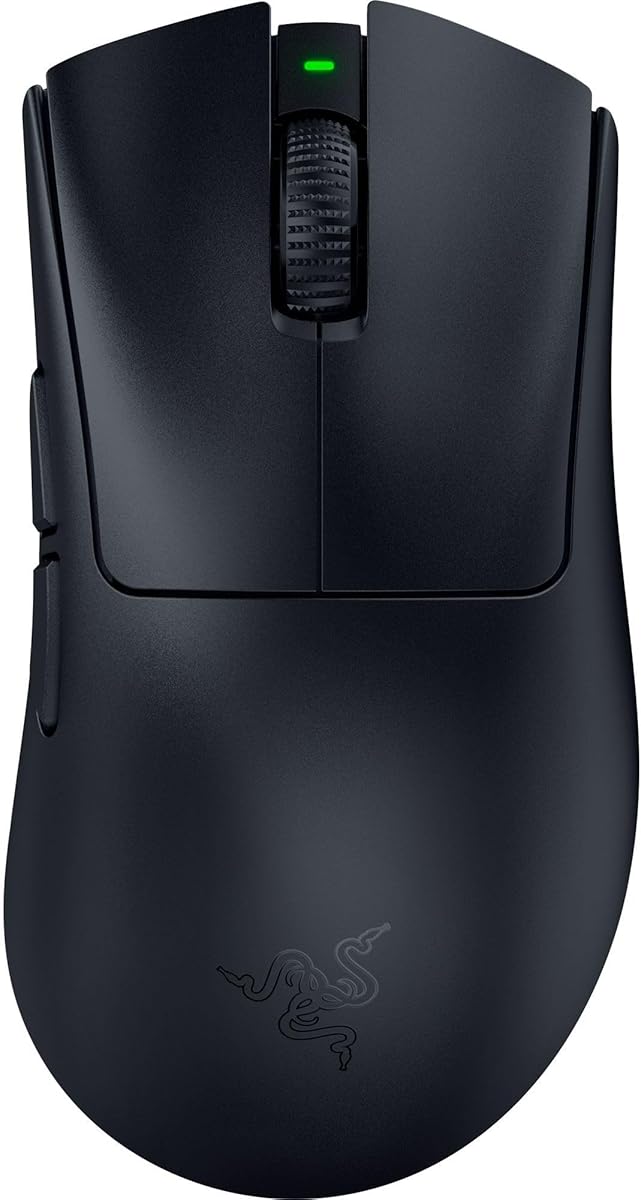
Razer DeathAdder V4 Pro
4.4Editor score
45K DPI Sensor
8K Polling Rate
56g Ultra Lightweight
Discover the top high DPI mouse for 4K gaming precision in October 2026 with expert comparisons of sensor accuracy wireless performance and ergonomic design.
Finding the right high DPI mouse for 4K gaming precision is crucial for competitive players who demand pixel-perfect accuracy and rapid response times during intense matches.
We evaluated the leading models based on sensor performance build quality wireless latency and ergonomic comfort to ensure every recommendation delivers exceptional tracking and control.
Each pick showcases key strengths and weaknesses so you can choose confidently knowing prices fluctuate and stock availability may vary across different retailers online.
4.4Editor score

4.4Editor score

4.6Editor score
The following table provides a quick side-by-side comparison of the top ten high DPI mice designed for 4K gaming precision highlighting their core specifications and unique features.
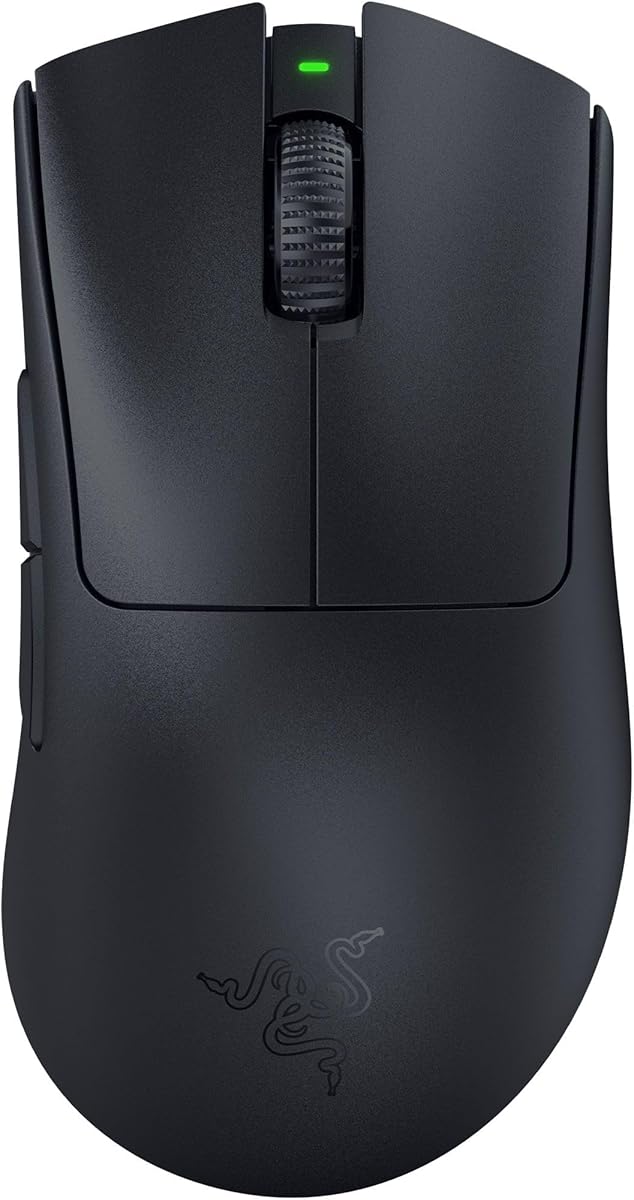




The Razer Basilisk V3 Pro stands out as a top tier option for gamers seeking high DPI precision on 4K displays offering flawless tracking and extensive customization.
We may earn a commission when you buy through this link, at no additional cost to you.
Its Focus Pro 35K optical sensor ensures precise movement across various surfaces including glass while the customizable scroll wheel adapts to different content needs dynamically.
While the price is elevated the 140 hour battery life and reliable 90 million click switches justify the investment for serious competitive or long session players.
Ideal for enthusiasts wanting control and performance this mouse excels in tactical shooters and MMOs where precision and macro execution are paramount to success.
The 35K optical sensor provides granular DPI adjustments that match the high resolution of 4K monitors ensuring every movement translates perfectly on screen.
The HyperScroll tilt wheel switches between tactile and free-spin modes allowing quick navigation through long documents or precise aiming adjustments during games.
We may earn a commission when you buy through this link, at no additional cost to you.
The Razer DeathAdder V4 Pro delivers elite performance with its 45K Focus Pro sensor and ultra lightweight 56g design perfect for fast flicks on large 4K screens.
We may earn a commission when you buy through this link, at no additional cost to you.
Its 8K polling rate reduces input lag significantly ensuring that rapid movements register instantly which is critical for competitive shooters requiring split second reactions.
Though costly the combination of advanced optical switches rated for 100 million clicks and ergonomic form makes it a durable choice for intense daily gaming usage.
Top players prioritizing speed and accuracy will find this model unmatched offering superior control and responsiveness tailored for high stakes esports environments.
With 8K polling and 45K DPI the mouse captures every micro movement ensuring no detail is lost during rapid turns or precise aiming on high resolution displays.
The re engineered ergonomic shape supports natural hand positioning reducing fatigue during extended sessions while maintaining the iconic DeathAdder comfort legacy.
We may earn a commission when you buy through this link, at no additional cost to you.
The ATTACK SHARK RS3 offers impressive specs like 52K DPI and 8K polling at a fraction of the cost making it an exceptional value for precision gamers.
We may earn a commission when you buy through this link, at no additional cost to you.
Its carbon fiber hybrid shell ensures structural strength and lightweight durability providing a stable feel during rapid flicks and tracking tasks on 4K monitors.
While brand recognition is lower the 800 hour battery life and web based driver eliminate installation hassles proving that performance need not come with high price tags.
Budget conscious buyers seeking professional level specs will find this mouse a worthy contender delivering reliable accuracy and speed without financial strain.
Delivering 52K DPI and 8K polling at a budget price this mouse challenges expensive rivals proving that top tier tracking is accessible to everyone.
The carbon fiber hybrid shell provides enhanced structural strength and refined texture ensuring a stable and durable grip even during intense gaming sessions.
We may earn a commission when you buy through this link, at no additional cost to you.
The Razer DeathAdder V3 Pro continues the legacy with a refined 63g ultra lightweight form that appeals to esports pros needing speed and precision on 4K displays.
We may earn a commission when you buy through this link, at no additional cost to you.
Its Focus Pro 30K optical sensor delivers flawless tracking across surfaces while optical switches ensure rapid 0.2ms actuation critical for responsive gameplay.
The battery life is shorter than top rivals but the lightweight design and ergonomic comfort make it ideal for marathon FPS sessions where fatigue must be minimized.
Fans of the classic DeathAdder shape will appreciate this update which balances modern performance with familiar handling for competitive players seeking an edge.
Developed with pros the iconic shape ensures maximum comfort during long sessions allowing gamers to focus on accuracy without distraction from discomfort.
Razer Hyperspeed wireless ensures fast connections that remain stable even in noisy environments preventing dropouts during critical moments in gameplay.
We may earn a commission when you buy through this link, at no additional cost to you.
The Razer Basilisk V3 Pro Custom offers extensive programmability with 10 buttons and RGB zones allowing users to tailor controls for complex 4K gaming setups.
We may earn a commission when you buy through this link, at no additional cost to you.
Its Focus Pro 30K sensor ensures precise tracking while the 150 hour battery supports long play sessions without needing frequent recharging breaks.
While slightly heavier than newer ultra light models the ergonomic shape and tactile feedback provide confidence during rapid movements or intricate macro executions.
Gamers who prefer detailed control and immersion will enjoy the Chroma integration and button mapping that enhance both functionality and visual setup aesthetics.
Ten programmable buttons allow for complex macro assignments that streamline gameplay actions ensuring smoother and more efficient interaction during combat.
Thirteen zones of Chroma lighting create a reactive visual environment that syncs with games adding depth and engagement to your gaming setup.
We may earn a commission when you buy through this link, at no additional cost to you.
The GravaStar Mercury M1 Pro stands out with its magnesium alloy build offering a premium feel and robustness alongside a 26K sensor suitable for 4K precision.
We may earn a commission when you buy through this link, at no additional cost to you.
Its tri mode connectivity lets you switch seamlessly between Bluetooth 2.4G and wired modes providing adaptability for both gaming and productivity tasks.
At 88g it is heavier than lightweight gaming mice but the balanced weight and ergonomic precision help reduce hand strain during extended marathon gaming sessions.
Those looking for a unique aesthetic and durable metal construction will find this mouse a compelling choice that blends style with practical performance features.
The magnesium alloy shell offers a distinct premium feel and structural integrity ensuring the mouse remains durable and cool during long use.
Three connection modes offer flexibility for different setups ensuring reliable performance whether you are gaming wirelessly or working at a desk.
We may earn a commission when you buy through this link, at no additional cost to you.
The Logitech G502 Hero provides reliable performance with its 25600 DPI HERO sensor and versatile weight system ideal for those preferring wired stability.
We may earn a commission when you buy through this link, at no additional cost to you.
Twelve programmable buttons allow extensive customization for games requiring multiple actions while the dual mode wheel supports fast scrolling in various apps.
Though wireless is trending the wired design eliminates battery concerns and ensures zero latency which suits competitive gamers prioritizing consistent feedback.
Budget focused gamers needing robust features will find this model a classic choice delivering excellent value and precise tracking for 4K gaming setups.
Adjustable weights let you fine tune the mouse balance to match your grip style ensuring better control and comfort during intense gaming.
The HERO sensor delivers zero smoothing and acceleration ensuring that your hand movements translate exactly to the cursor for precise aiming.
We may earn a commission when you buy through this link, at no additional cost to you.
The Redragon M916 delivers ultra lightweight agility at just 49g making it an affordable option for gamers seeking high DPI performance without heavy weight.
We may earn a commission when you buy through this link, at no additional cost to you.
Its 26K DPI sensor and 4000Hz report rate ensure smooth tracking for 4K gaming while the five predefined levels simplify quick adjustments during play.
Though basic compared to high end mice the Bluetooth option and easy remapping provide enough versatility for casual and competitive players on a budget.
Those wanting a light responsive mouse without breaking the bank will appreciate this model reliable performance and ease of use in daily gaming.
With competitive specs like 26K DPI and 4000Hz at a low price this mouse proves high precision is available to budget conscious players.
The 49g ultra lightweight design allows rapid movements without fatigue helping you maintain peak performance during long intense gaming sessions.
We may earn a commission when you buy through this link, at no additional cost to you.
The Razer Basilisk V3 wired version combines ergonomic comfort and advanced RGB with a 26K DPI sensor perfect for detailed work and 4K gaming.
We may earn a commission when you buy through this link, at no additional cost to you.
Its HyperScroll tilt wheel offers tactile precision or free spin mode for quick navigation ensuring you can adapt to different tasks easily.
The 11 programmable buttons and full RGB integration allow deep customization for macros and visual setups enhancing both utility and aesthetic appeal.
Gamers seeking a cost effective high performance mouse with extensive controls will find this model excellent for daily use without the need for wireless.
Full RGB zones sync with games and apps creating an immersive visual experience that enhances your setup aesthetic and functional feedback.
The HyperScroll wheel switches between modes ensuring you can scroll quickly through lists or navigate precisely in games without changing tools.
We may earn a commission when you buy through this link, at no additional cost to you.
The Logitech G703 Lightspeed offers a comfortable ergonomic design with a powerful 25600 DPI HERO sensor suitable for detailed 4K precision gaming tasks.
We may earn a commission when you buy through this link, at no additional cost to you.
Its LIGHTSPEED wireless technology ensures a responsive connection that rivals wired mice while supporting POWERPLAY charging for continuous use without breaks.
While it is heavier than ultra light options the robust build and rubber grips provide stability that many gamers prefer for accuracy and control.
Players valuing comfort and reliable wireless performance will find this mouse a solid choice for daily gaming and productivity alike.
Powerplay wireless charging compatibility means you can keep your mouse charged while resting ensuring you never face downtime due to battery loss.
The shape and rubber grips reduce hand strain allowing long sessions with consistent comfort which is essential for maintaining precision over time.
We may earn a commission when you buy through this link, at no additional cost to you.
Selecting the right high DPI mouse for 4K gaming precision involves evaluating several key factors to ensure optimal performance and comfort.
The sensor is the core of any gaming mouse determining how accurately it translates physical movement into cursor motion on your screen. For 4K gaming where pixel-perfect tracking matters high resolution sensors like 26K or 35K allow granular control without pixel skipping.
Always look for sensors that offer high DPI with zero acceleration smoothing or filtering to ensure every movement is consistent and reliable during fast flicks.
Polling rate refers to how often the mouse reports its position to the computer measured in Hertz. A higher rate like 8000Hz reduces input lag ensuring smoother and more immediate response for competitive play.
While 1000Hz is standard gamers seeking maximum speed on 4K screens should consider mice supporting 4000Hz or 8000Hz polling for tighter reaction times.
Build quality impacts durability and feel with materials like magnesium alloy or carbon fiber offering robust lightweight shells. Weight also influences speed as lighter mice under 70g allow faster movements and reduced fatigue.
Choose a weight that suits your grip style whether you prefer agility for flicks or stability for precise tracking on large monitors.
Wireless mice must balance performance with battery life ensuring you can game for hours without interruptions. Many modern mice offer over 100 hours of play which is crucial for marathon sessions.
Tri mode connectivity provides flexibility allowing you to switch between wired Bluetooth or 2.4G wireless depending on your immediate needs and setup constraints.
Ergonomics determines how well the mouse fits your hand shape and grip style affecting comfort during long sessions. Claw palm or fingertip grips benefit from different shapes so choose one that supports your natural hand position.
A well designed ergonomic form reduces wrist strain and ensures that precision controls remain accessible without requiring awkward hand movements.
Programmable buttons allow you to assign macros or secondary functions that enhance gameplay efficiency. For complex games or work tasks more buttons provide greater control over actions without reaching for keyboard shortcuts.
Ensure the software allows easy remapping so you can tailor the mouse to your specific game roles and workflow needs for maximum productivity.
Quality software enables deep customization of DPI profiles lighting effects and button mappings that adapt the mouse to different games or tasks. Look for intuitive apps that save settings locally for quick access without cloud dependence.
Avoid mice requiring heavy software installs or cloud sync for basic functions to keep your system clean and performance optimized during gaming.
Different surfaces can affect tracking accuracy especially with high DPI sensors. Many premium sensors are designed to work reliably on varied materials including glass or glossy desks without needing a pad.
Test or check surface support before buying to ensure your mouse maintains precision regardless of your desk material or lighting conditions.
Start by calibrating your sensor on the intended surface to ensure accurate tracking and adjust DPI settings in software to match your 4K display resolution comfortably.
Regularly clean the sensor lens and skates with a soft cloth to prevent dust or grime from affecting movement accuracy over time.
For wireless mice keep firmware updated and manage battery charging cycles to maintain peak performance and longevity throughout daily use.
For 4K gaming a DPI range between 1000 and 4000 is often ideal to balance sensitivity with precision. Higher DPI like 26K is available for ultra fine adjustments but lower settings help avoid overshooting targets during gameplay.
Modern high quality wireless mice with 4K or 8K polling rates lag negligibly compared to wired options. Look for models using 2.4GHz technology like HyperSpeed or Lightspeed for stable low latency performance on large monitors.
Sensor accuracy ensures your cursor moves exactly as you move the mouse without skips or jitter which is vital for pixel-perfect aiming in 4K resolution games. High end sensors with 1:1 tracking provide reliable consistent movement.
Polling rate determines how often the mouse sends data to your PC affecting how quickly your input is registered. Higher rates reduce delay making movements smoother and more responsive for competitive 4K gaming scenarios.
Wired mice guarantee zero latency and no battery issues but modern wireless tech has narrowed the gap significantly. For most users wireless offers freedom with comparable performance unless you play at extreme esports levels.
Adjust DPI to match your in game needs and disable Windows enhance pointer precision to prevent acceleration issues. Use software profiles to switch DPI settings based on the game or application you are using.
Choosing the right high DPI mouse for 4K gaming precision ultimately depends on your specific needs whether you prioritize speed ergonomics or customization options.
Focus on sensor quality polling rate and build durability as these core features directly impact your accuracy and comfort during intense gaming sessions.
Always verify current pricing and availability since deals can change frequently ensuring you get the best value for your chosen model today.